
How to link a Cype work to a BIMserver.center project?
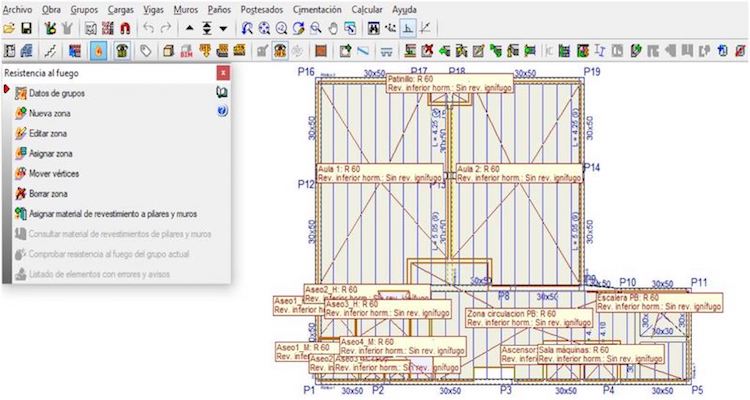
Modeling, analysis, and management programs, among others, are some of the software applications that must be used to carry out the design, construction, and maintenance of a building using BIM. The problem is that each application has its own way of storing data in one or more files and in a specific format readable only by the app itself or, sometimes, by a compatible one. This poses a significant barrier to communication, the essence of BIM.
One way to address communication between applications is to use open exchange files (openBIM), which any application can read. The most widely used open format in the BIM world is the IFC format , developed by Building Smart .
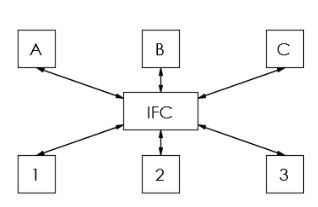
IFC is a data exchange format. BIM applications do not work directly with IFC files, but rather with their own files in their specific, optimized formats. They export only the information relevant to the entire project to IFC files.
For example, once we have the architectural model generated in a modeling program (Allplan, Archicad, Archline, Edificius, IFC Builder, OpenBuildings, Revit, Vectorworks, etc.), we can transmit the geometry and some non-geometric data to a structural analysis application. The structural analysis application doesn’t need all the resources of the architectural model, just the geometry and perhaps some additional data, such as materials, which are often defined in the structural program. Once the structure is calculated, the structural analysis application generates an IFC with the geometry and other data relevant to the project.
The BIMserver.center cloud service
To facilitate project file management, a centralized environment is required that all applications can access to read or write IFC files.BIMserver.center is a cloud service that provides such an environment accessible at
any time from anywhere in the world.
A project consists of a set of IFC files generated by the architectural modeling program and by each of the specialized calculation applications (structures, installations, energy, acoustics, security, management, coordination, etc.).
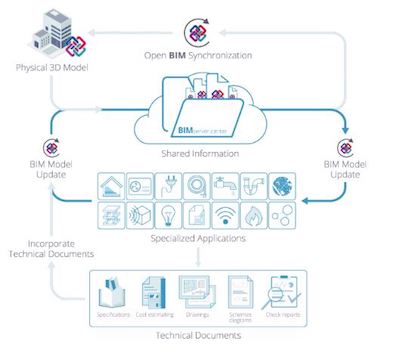
Source: Cype Engineers website
Although BIMserver.center is developed by Cype Ingenieros, any application from any software provider can be used, as long as it can import and export IFC files.
The Cypecad application
Cypecad is an application for the analysis and detailing of building structures developed by Cype Engineers .Since 2013, CYPE has been able to read and write IFC files. Since version 2017.c, it also integrates CYPE’s Open BIM workflow tools, which facilitate communication with BIMserver.center.
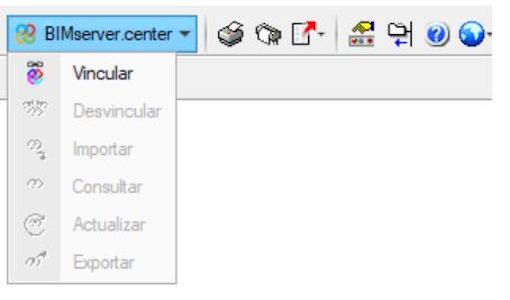
Cypecad a BIMserver.center
When we create a new project in Cype, we have the option of linking it to a project in BIMserver.center.
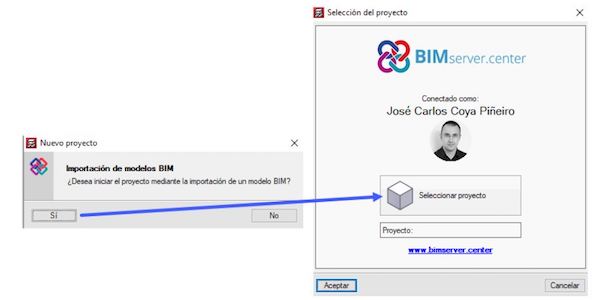
At that point, we can already access all the information from the architectural model, which the system calls Initiator (red), and from the models from other disciplines that are already incorporated into the project (green).
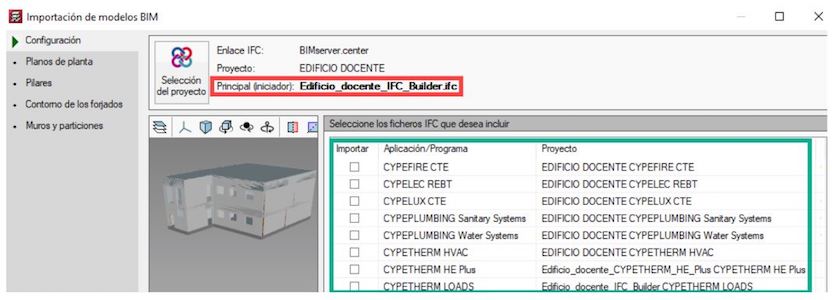
(The model used as a base was developed by Diego Besada Radío)We can also create the work without relating it to any project and incorporate it later.
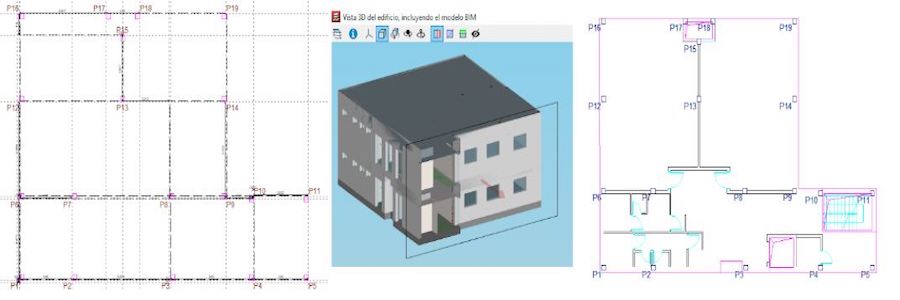
From the BIM model, the floor heights, pillars, and references are obtained to continue modeling the other elements of the structure.
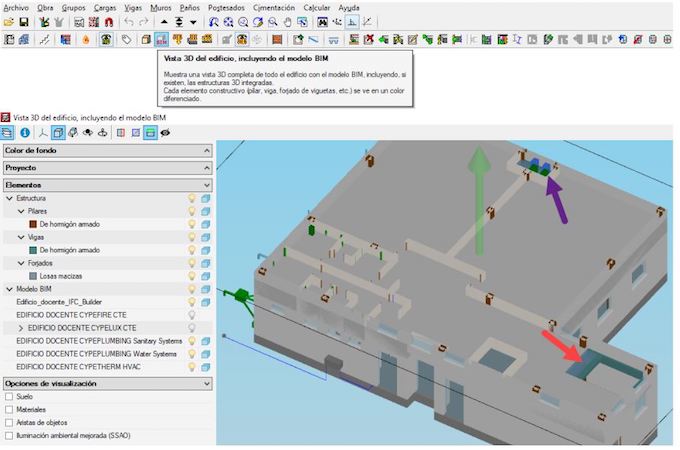
Within CYPE, while modeling, we can keep in mind elements from other disciplines, which makes it easier for us to adapt to the installations (purple) or detect incidents in the geometry (red).
Being part of the BIM project also allows us to access non-graphic information, such as the required fire resistance for each space.
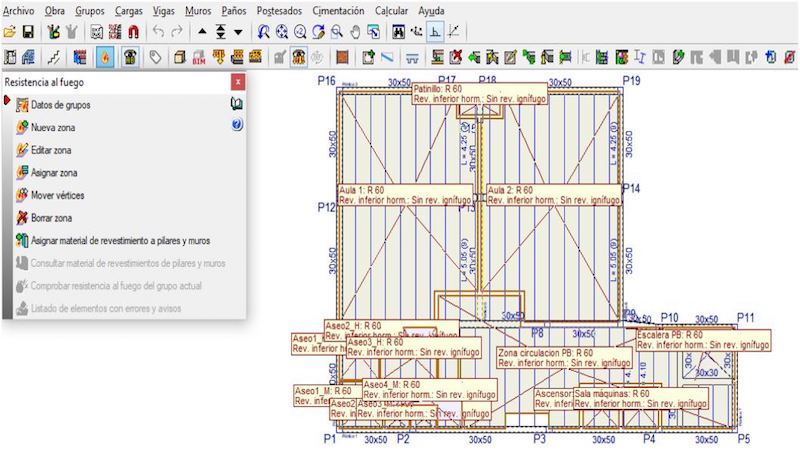
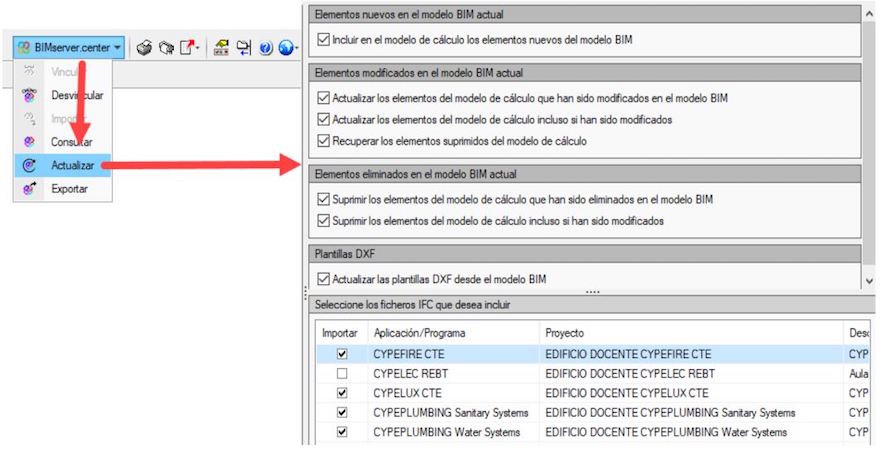
At any time, we can update the information from the other models that make up the project, selecting which information we need to update and which we don’t.
Once the structure has been calculated, we can export it in IFC format (red). This export includes the geometry and even additional information such as the analytical model or the deformation (green).

The exported information is solely that which the team needs for project development. The native files for each application are not uploaded to the repository; they remain in the hands of their owner.
After export, all project members can access the results.
Thus, in the BIMserver.center viewer, we can view the federated project. In it, we can include the exported structure—or other alternative versions—the architectural model, and the models for each specialty.
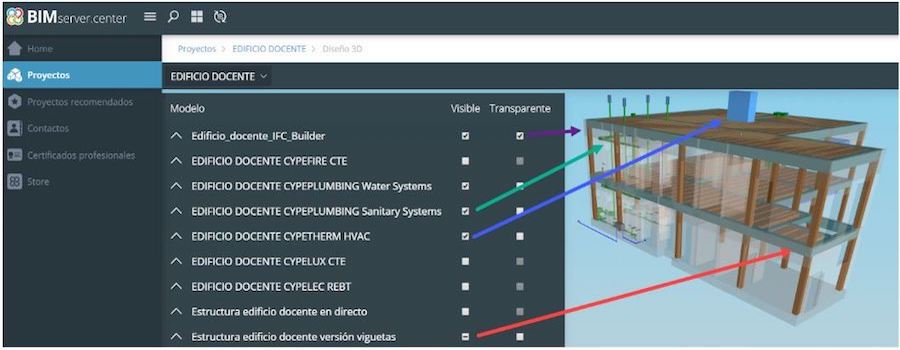
In the case of the structural model, you can see the geometric model, the analytical model or the deformities in each hypothesis.
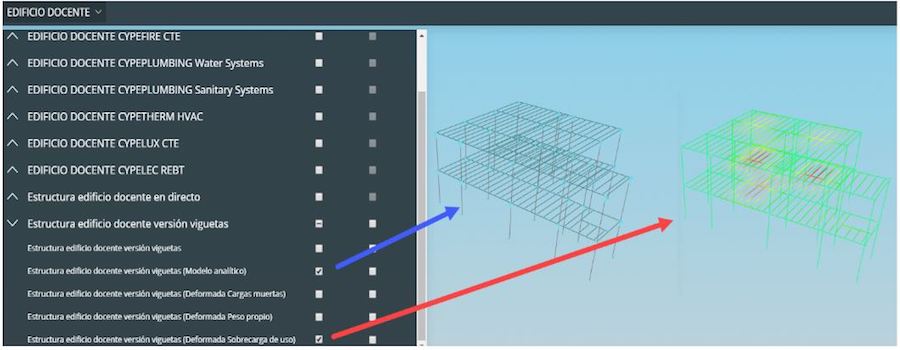
We can view the federated model on the BIMserver.center website or in the mobile app. We can also use it in any application the team is working with on the project. For example, in HVAC, we can keep the structure in mind when designing the air conditioning ducts.

All of this also makes it possible to incorporate the structure into new project applications, such as Open BIM Quantities for measurements, Open BIM Model Checker for generating incidents, detecting collisions, and querying documentation, Open BIM Memorias for generating reports, etc.
Ultimately, the goal is to integrate Cype into the entire suite of programs used to develop the project. Furthermore, the structure must be integrated into the building as a whole.
Original source Zigurat
Source: https://www.e-zigurat.com/blog/es/cypecad-interoperabilidad-estructuras-bimservercenter/ Like Share (0)


