
How to work with conflict detections and make them more efficient

In the BIM world, we use the term clash detection to refer to the automation of the search for pre-construction collisions that arise during the design phases. This activity is part of a feasibility analysis used to identify construction issues that may present complex difficulties , cost overruns, and lost productivity when it comes to taking action. Clash detection is available in several software programs such as Solibri , Navisworks , Tekla BIMsight , Vico Office Constructability Manager , ArchiCAD , Revit , and many more. Some software programs have more advanced features (such as Solibri) and offer the ability to create rules, while others only offer more basic features (such as Revit).
What is a conflict or collision test?
A test is a predetermined set of elements that must be analyzed for collisions. There are two types of validations: intersections (intersecting) and clearance checks (soft checks). The former refers to the collision of the geometry of two objects, while the latter occurs between predetermined buffers around those geometries. The buffer can be adjusted in some clash detection programs or modeled in the BIM object itself, as shown in the photo of mechanical equipment maintenance below. It can also be used to improve the accessibility of doors, stair management spaces, precast concrete panels, steel beam deflection, and much more.
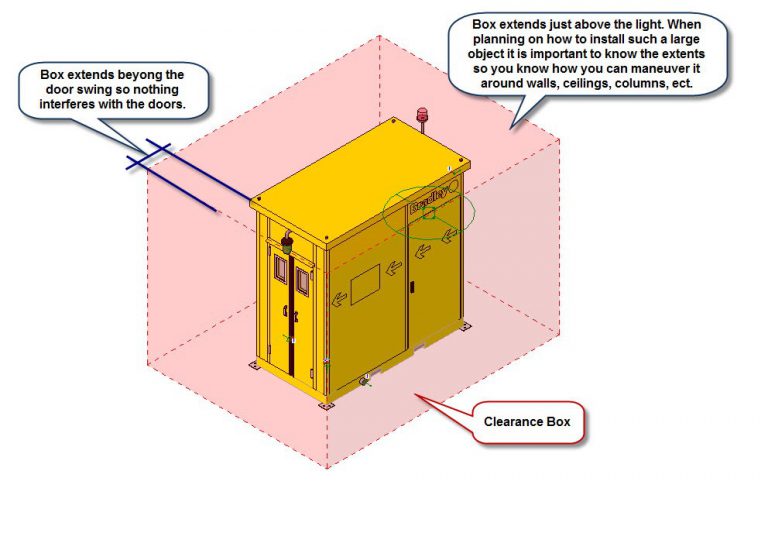
Clearence box de blog.bradleycorp.com
The best practice is to plan collision detections and create what is commonly known as a “crash matrix” to define discipline combinations and priorities based on the construction and delivery schedule. The timing of crash tests is crucial to reducing interactions based on model changes.
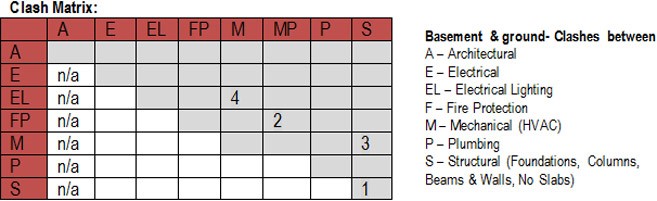
Clash matrix from bimstart.co
What is a conflict rule?
A conflict rule is a type of formula used to select specific objects that need to be included in a test. It can be important to check the consistency of the model tree if the rule is used to select objects. A good way to contribute to the proper use of object and parameter names is to use the buildingSMART IFC when sharing the model.
A collision rule can also include Boolean expressions such as and/or or even specific exclusion criteria.
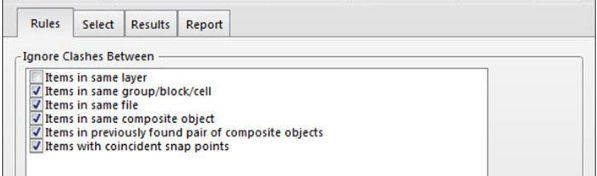
Naviswork Clash Rule
What is a collision report?
A clash report is a document shared among the various stakeholders of a given project using PDF, XML, HTML, or any other format. It is the “traditional” way of displaying issues found with clash detection and requires a bit more time to set up and track over time.
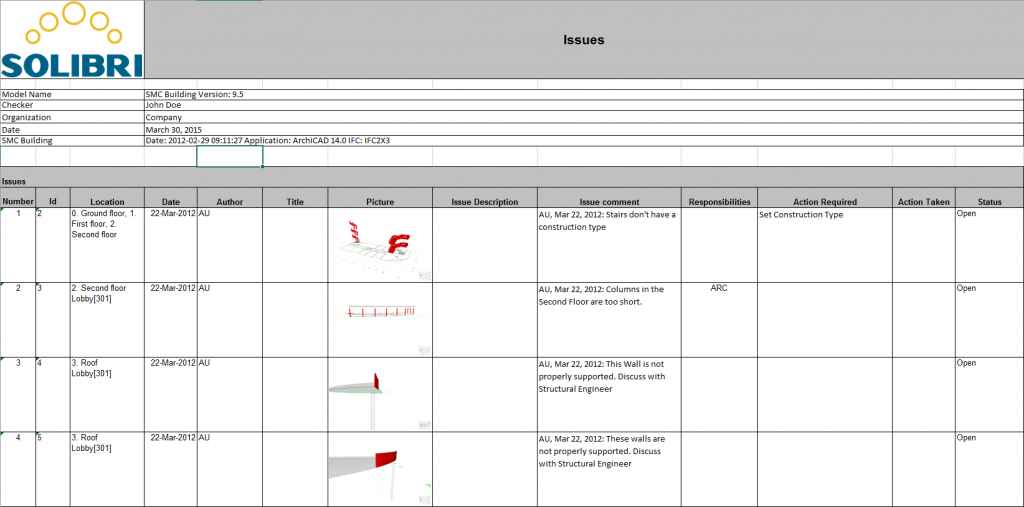
Collision report from solibri.wordpress.com
How to transfer detected problems more efficiently?
Using a “traditional” report is not the most efficient way to transfer information to users in the context of modeling software where issues need to be resolved. The BIM Collaboration Framework (BFC), an open format developed by buildingSMART, is very useful as it saves users from having to identify the location of clashes in the building or the time required to find a suitable viewpoint when switching between software. BFC is the key to successful clash detection and should be used by anyone performing this task. There are also other platforms specialized in monitoring these types of issues, such as BIM Track, which also helps transfer information across different platforms.
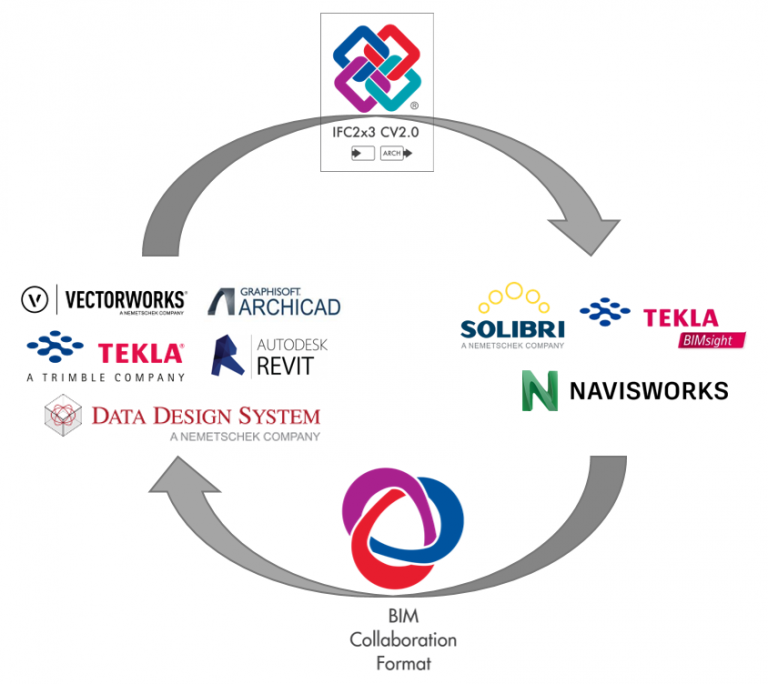
How to fix a collision?
One way to reduce the more mundane modeling tasks that result in tons of collisions being detected by the software is to use a script-based automated modeling solution such as Dynamo. Let’s say we have an HVAC system that needs to pass through a fire-rated partition and we need to add a special fitting at that very location, we can use Dynamo to automatically place it and create an opening in the wall automatically within Revit.
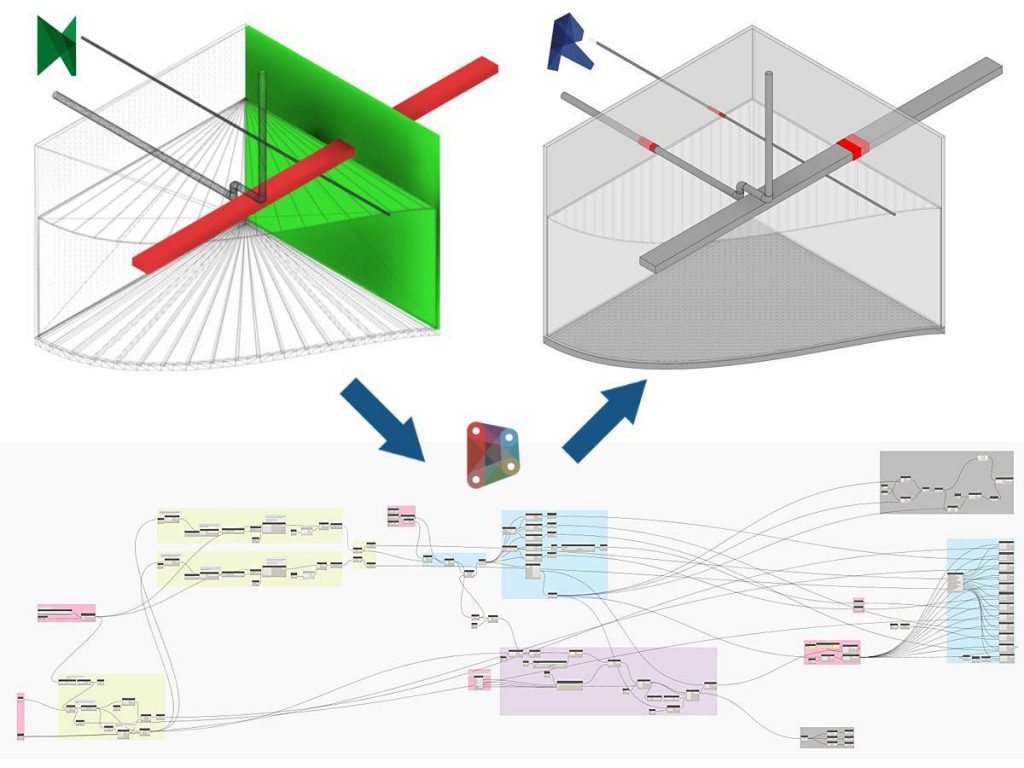
Modelical’s Dynamo Script on LinkedIn
Another growing trend is the use of collision-free, auto-routing software, GenMEP. Its central feature is the ability to automatically migrate algorithms to collision-free MEP systems during the design process.
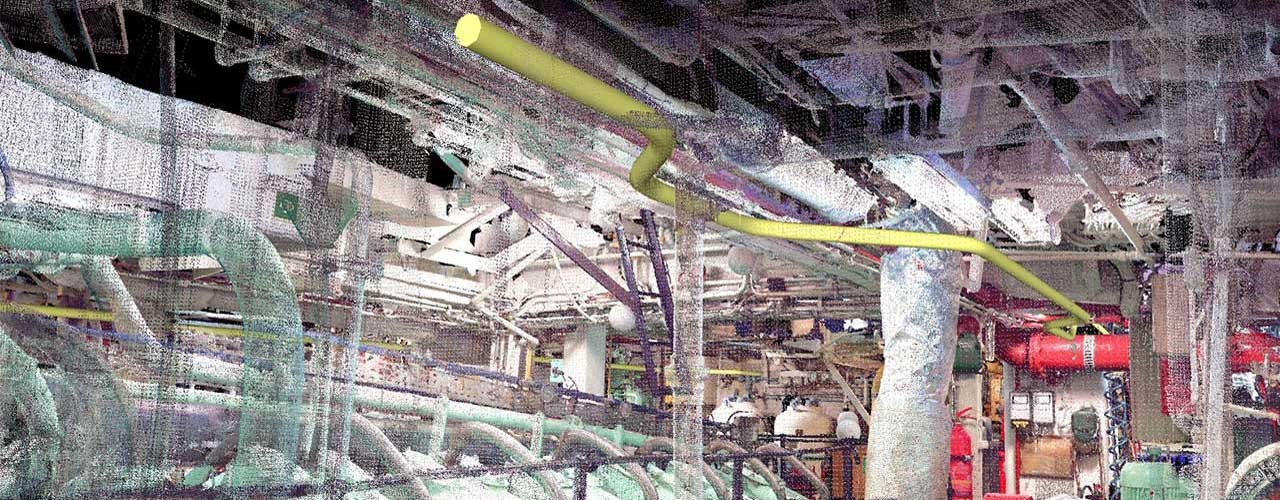
MEP route from the GenMEP website
Conclusions
Collision detection has been available for some time, but what makes it valuable is the process defined around it. Using software from the outset is not an optimal solution to avoid problems over time, without taking into account that this entails significant effort. It’s worth asking ourselves what the most common problems we encounter are in each case, setting up the collision test correctly, and starting to check the models in each specific case, taking into account the program and the previous work site.


